
If you are shopping for the best laptops under $500 in 2026, the short answer is the Lenovo IdeaPad Slim 3x: a Snapdragon-powered Copilot+ laptop with 16GB of RAM, a bright touchscreen, and battery life past 16 hours in independent testing, usually on sale for $449 to $499. If $500 is a hard ceiling and every dollar counts, the Acer Aspire Go 15 at $269 to $349 is the cheapest Windows laptop that is still genuinely usable. This guide compares seven picks that reviewers keep recommending, explains the four specs that decide everything at this price, and names the traps that turn a bargain into a regret.

Key Facts
| Fact | Detail |
|---|---|
| Best overall | Lenovo IdeaPad Slim 3x — Snapdragon X, 16GB RAM, 16.5-hour battery (Tom’s Guide tested) |
| Cheapest usable Windows laptop | Acer Aspire Go 15 — about $269 to $349 |
| Best Chromebook | ASUS Chromebook Plus CX34 — Intel Core i5, about $349 to $399 |
| Best Mac value | Renewed MacBook Air M1 — about $399 to $448 |
| Minimum RAM in 2026 | 8GB is the floor, 16GB is the target |
| Minimum storage | 256GB SSD — avoid eMMC storage |
| Minimum screen | 1080p (Full HD) — avoid 1366×768 panels |
| Best time to buy | Black Friday week — Friday, November 27, 2026 |
| 2026 price warning | Memory shortage pushed laptop prices up 15 to 30% this year |
| Prices in this guide | Typical street-price ranges as of November 2026 — always check the live price before buying |

The 7 Best Laptops Under $500 at a Glance
| Pick | Best for | Processor | RAM | Typical price |
|---|---|---|---|---|
| Lenovo IdeaPad Slim 3x | Best overall | Snapdragon X | 16GB | $449–$499 |
| Acer Aspire Go 15 | Cheapest Windows | Intel Core 3 / Ryzen | 8GB | $269–$349 |
| ASUS Vivobook Go 15 | Best runner-up | Ryzen 5 / Intel | 8GB | $370–$445 |
| Acer Aspire 5 | Best all-round Windows | Ryzen 5 7530U | 8/16GB | $379–$449 |
| ASUS Chromebook Plus CX34 | Best Chromebook | Intel Core i5 | 8GB | $349–$399 |
| Acer Chromebook Plus 515 | Best big-screen Chromebook | Intel Core i3/i5 | 8GB | ~$399 |
| MacBook Air M1 (renewed) | Best Mac value | Apple M1 | 8GB | $399–$448 |
How to Choose: The 4 Specs That Decide Everything
A $500 laptop is a machine built from trade-offs. The manufacturers cut costs somewhere, and your job is to make sure they cut the things you will never notice instead of the things you will feel every day. Four specs separate the best laptops under $500 from the ones that feel slow the day you open the box.
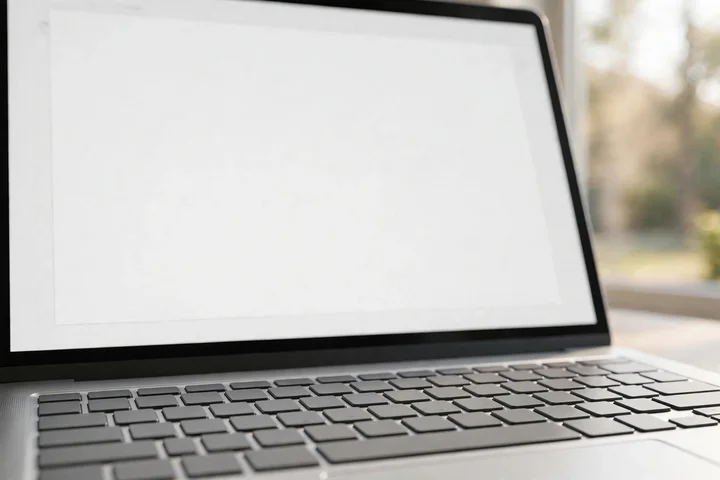
1. RAM: 8GB Is the Floor, 16GB Is the Target
This is the single most important spec in 2026, and the hardest one to fix later, because most budget laptops have their memory soldered in — you cannot upgrade it. With 4GB of RAM, a laptop feels slow the moment you open a few browser tabs. With 8GB, everyday work is comfortable. With 16GB, you can keep dozens of tabs open, run video calls, and edit photos without the machine stalling.
The reason RAM matters more than ever is the 2026 memory shortage. AI data centers have been buying up the world’s memory supply, and laptop makers have warned of 15 to 20 percent price increases. Configurations that cost $429 with 16GB of RAM in 2024 now ship with 8GB at the same price. If you find a sub-$500 laptop with 16GB — the IdeaPad Slim 3x is the standout — that is real value, not a marketing line.
4GB of RAM is a hard no in 2026. 8GB is the floor, and 16GB is the target.
2. Storage: 256GB SSD Minimum, No eMMC
Budget laptops still hide slow storage behind vague listings. What you want is a solid-state drive (SSD) with at least 256GB. What you must avoid is eMMC storage — the slow flash memory borrowed from phones that makes even a new laptop feel old. Check the spec sheet for the words “SSD” and “256GB” before you buy, and be suspicious of any listing that just says “64GB storage” without naming the type.
Windows itself plus a few apps eats roughly 60GB, so 128GB leaves you almost nothing. With 256GB you have room for documents, photos, and a few big apps, and you can always add a cheap external drive later.
3. Screen: 1080p or Walk Away
Cheap laptops still ship with 1366×768 screens in 2026, and listings hide it behind phrases like “HD display.” That resolution looks fuzzy on a 15.6-inch panel, and text is noticeably harder to read. Insist on 1920×1080 — sold as Full HD, FHD, or 1080p. An IPS panel is a bonus: it keeps colors accurate when you are not sitting dead center, which matters on a laptop you move around.
4. Processor: Ryzen 5 Beats Intel at This Price
At the $500 price point, AMD’s Ryzen 5 processors — the 7530U in particular — consistently outperform Intel Core i5 equivalents in benchmark testing at comparable prices. That does not mean every Intel laptop is bad: the newer Intel Core 3 and Core 5 chips are fine, and Qualcomm’s Snapdragon X in the IdeaPad Slim 3x delivers remarkable battery life. The rule is simple: a modern Ryzen 5, Core 5, or Snapdragon X is a good sign; an older Celeron, Pentium, or Intel N100-class chip at this price is a warning sign unless the laptop costs under $300 and you only need a browser.
The 7 Picks in Detail
Every one of the best laptops under $500 below was picked because multiple independent reviewers recommend it, not because one store promotes it. Prices are typical street ranges as of November 2026 and move weekly — check the live price before buying.
1. Lenovo IdeaPad Slim 3x — Best Overall
The IdeaPad Slim 3x is the best example of how much laptop $500 buys in 2026. It runs on a Qualcomm Snapdragon X chip with 16GB of RAM — double what most machines at this price offer — and a 512GB SSD in the best configurations. The 15.3-inch Full HD+ touchscreen is bright and sharp, the keyboard is Lenovo’s usual comfortable one, and Tom’s Guide measured battery life past 16 hours, the longest of any laptop in this price range.
It is a Copilot+ PC, which means it has an AI accelerator built in, but the real story is simpler: this is the only sub-$500 laptop that feels like a machine costing twice as much. The one catch is software: it runs Windows on ARM, so a handful of older Windows apps run through emulation. For browsing, documents, streaming, video calls, and schoolwork, you will never notice. Buy it on sale near $449 and you have the best laptop under $500, full stop.
2. Acer Aspire Go 15 — Cheapest Usable Windows Laptop
If your budget is tight, the Aspire Go 15 is the floor for a usable Windows laptop. At $269 to $349, it gives you a 15.6-inch 1080p screen, a modern Intel Core 3 processor, and enough performance for documents, web browsing, streaming, and video calls. Reviewers keep coming back to the same verdict: on paper it looks unremarkable, in real use it does everything a basic laptop should.
The trade-offs are honest ones. The plastic body flexes a little, the speakers are thin, and 8GB of RAM is the sensible configuration — avoid the 4GB version. But for a student, a second household computer, or anyone who needs Windows software on the smallest budget, nothing cheaper is worth buying.
3. ASUS Vivobook Go 15 — Best Runner-Up
The Vivobook Go 15 sits between the cheapest options and the top pick, and it is the best choice if you multitask. With a Ryzen 5 or Intel processor and 8GB of RAM, it handles a dozen browser tabs, a video call, and a document at the same time without the stutter you get from cheaper machines. At $370 to $445 it costs a little more than the Aspire Go 15, and the extra money buys a sturdier feel and a better screen.
It is the pick for the person who will live on the laptop all day — home office workers, students writing long papers, anyone who keeps too many tabs open. If the IdeaPad Slim 3x is out of stock or above your budget on the day you buy, this is the safest fallback.

4. Acer Aspire 5 (Ryzen 5) — Best All-Round Windows Laptop
The Aspire 5 with AMD’s Ryzen 5 7530U is the classic safe choice, and it stays on every best-of list for a reason: the Ryzen 5 chip outperforms Intel equivalents at this price, the 15.6-inch 1080p display is solid, and configurations with 16GB of RAM appear on sale for $379 to $449. It is the laptop to buy if you want Windows, a familiar brand, and no surprises.
It is also the laptop that benefits most from Black Friday. The Aspire 5 regularly drops to $379 to $399 during back-to-school and Black Friday sales, which is when its value is hardest to beat. If you can wait a week for the sale, wait.
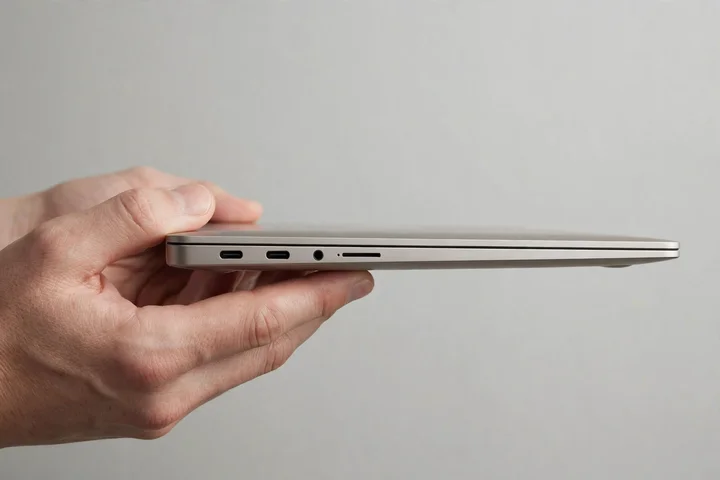
5. ASUS Chromebook Plus CX34 — Best Chromebook
If your life is in the browser — Gmail, Google Docs, YouTube, video calls — a Chromebook gives you more laptop for the money than Windows does, because ChromeOS needs less hardware to feel fast. The Chromebook Plus CX34 is the one to buy: an Intel Core i5 processor, 8GB of RAM, a 14-inch Full HD screen, and about $349 to $399 on sale.
Chromebook Plus is Google’s quality standard, and it matters: every Chromebook Plus machine gets 10 years of updates, a Full HD screen, 8GB of RAM, and AI features built in. The limitation is software — you cannot install full Windows programs — so this is the wrong pick if you need Microsoft Office desktop apps, Adobe software, or specific Windows-only tools. For web-first work, school, and streaming, it is the best value on this list.
6. Acer Chromebook Plus 515 — Best Big-Screen Chromebook
The Chromebook Plus 515 is the CX34’s bigger sibling: a 15.6-inch Full HD screen, the same 10-year update promise, and about $399 on sale. The larger screen makes a real difference if you work with two windows side by side — a document and a video call, or a spreadsheet and a browser — and the keyboard has room for a number pad, which spreadsheet users will appreciate.
Choose the 515 over the CX34 if you mostly work at a desk and want the biggest screen for the money. Choose the CX34 if you carry the laptop around, since the 14-inch body is lighter and easier to fit in a bag.
7. Apple MacBook Air M1 (Renewed) — Best Mac Value
This is the surprise pick, and the one that shows how strange 2026 pricing has become. Apple’s cheapest new laptop, the MacBook Neo, launched in March 2026 at $599 and was raised to $699 in June. A renewed MacBook Air with the M1 chip — Apple’s first Apple-silicon laptop, from 2020 — sells for $399 to $448, and it is still faster than every new Windows laptop on this list for everyday work. It runs silent with no fan, the battery lasts all day, and the aluminum body feels premium in a way no $400 Windows laptop does.
Renewed means a used machine inspected, tested, and cleaned by the seller, so buy from a reputable source with a return policy — Amazon Renewed and Apple’s own refurbished store are the safe routes. The M1 Air is the right buy if you want a Mac, you want the best screen and speakers under $500, and you are comfortable buying renewed. It is the wrong buy if you need Windows-only software.
Windows vs Chromebook vs Renewed Mac: Which One Is Right for You?
The operating system matters more than the brand, because it decides which software you can run. That choice matters more than any single spec when you are picking from the best laptops under $500. The decision takes thirty seconds:
- Browser life — email, Google Docs, streaming, video calls, schoolwork: buy the Chromebook Plus CX34 or 515. You get more speed and battery for the money, and ten years of updates.
- Named Windows software — Microsoft Office desktop apps, Adobe programs, accounting or engineering tools, PC games: buy Windows. The IdeaPad Slim 3x is the best pick, the Aspire 5 the safest, the Aspire Go 15 the cheapest.
- Apple ecosystem — iPhone, iPad, AirPods, and you want everything to sync: buy the renewed MacBook Air M1. Nothing else under $500 feels like it.
Buy the operating system first, then the laptop. A fast machine running software you cannot use is a slow machine.
Black Friday 2026: How to Actually Get the Deal
Black Friday 2026 falls on Friday, November 27 — eight days from now — and it is the best week of the year to buy one of the best laptops under $500. But the sale only helps if you shop it correctly, because laptop prices in 2026 move weekly and “sale” prices are often just the normal price with a crossed-out number next to them.
First, decide your pick before the sale starts, using the specs in this guide. Second, check the live price today so you know what “on sale” actually means — the IdeaPad Slim 3x at $449 is a deal, at $499 it is the normal price. Third, buy from a retailer with a price-match or easy return policy, so a better deal next week is not a regret. Fourth, ignore doorbuster laptops you have never heard of: unknown brands at shocking prices are where the 4GB RAM and 1366×768 screen traps live. The seven picks above are the machines that go on genuine sale; everything else is a gamble.
Cyber Monday, Monday, November 30, is the second chance — online retailers repeat most Black Friday laptop deals, and Chromebooks in particular tend to drop further. If you miss Friday, check again on Monday before paying full price.

After You Buy: The First-Hour Checklist
A new laptop needs thirty minutes of setup before it is truly yours. Start by moving your files over: our guide on how to transfer files from phone to laptop without a cable or internet covers the free tools that move photos, documents, and videos between any phone and any laptop in minutes. Then check your storage: budget laptops ship with 256GB, and Windows plus your apps will claim a large share of it, so keep an eye on what fills up — the same cleanup habits in our guide on how to free up space on Android without deleting photos work on the phone side of the same problem.
Finally, look after the machine itself. Laptop keyboards collect crumbs, dust, and skin oil from day one, and a two-minute weekly clean keeps the keys feeling new — our guide on how to clean a laptop keyboard without compressed air shows how to do it with a toothbrush, tape, and a cloth, no canned air needed. A laptop that is set up, backed up, and cleaned regularly is the one that still feels fast in three years.
Independent testing backs up these picks: Tom’s Guide has tested budget laptops for nearly twenty years, and its best laptops under $500 guide names the same IdeaPad Slim 3x as its top pick, with the same 16-hour battery result. When the experts and the owners agree, the pick is safe.
Frequently Asked Questions
Can you get a good laptop for under $500 in 2026?
Yes — the best laptops under $500 in 2026 handle everyday work, study, and entertainment without compromise: browsing, documents, streaming, video calls, and light photo editing. What $500 does not buy is a gaming machine, a video editing workstation, or premium build quality. Set your expectations to “great everyday laptop” and you will be happy; expect a gaming rig and you will be disappointed.
Is 8GB of RAM enough in 2026?
For most people, yes — 8GB handles browsing with a dozen tabs, documents, streaming, and video calls comfortably. But 16GB is the smarter buy if you can find it at your price, because it future-proofs the laptop and most budget machines cannot be upgraded later. If you keep fifty browser tabs open or edit photos regularly, choose 16GB.
Should I buy a Chromebook or a Windows laptop under $500?
Buy a Chromebook if your life is in the browser and you do not need Windows-only software — you get more speed, better battery, and ten years of updates for the money. Buy Windows if you need Microsoft Office desktop apps, Adobe software, or any program that only runs on Windows. The operating system decides the answer, not the brand.
Is a renewed MacBook Air M1 worth it under $500?
Yes, if you buy from a reputable seller with a return policy. The M1 chip is still faster than every new Windows laptop under $500 for everyday work, the machine is silent, and the build quality is premium. It is the best Mac value in 2026 precisely because Apple’s cheapest new laptop now costs $699. Avoid renewed machines from sellers with no reviews and no returns.
When is the best time to buy a laptop under $500?
Black Friday week — Black Friday 2026 is Friday, November 27 — and back-to-school season in July and August, when the same machines drop $50 to $100 below their list price. Cyber Monday, November 30, repeats most Black Friday deals online. Outside sales, prices stay flat, so waiting for a sale is the only reliable way to save. Those are the two windows when the best laptops under $500 sell for their lowest prices.
What specs should I avoid in a budget laptop?
Avoid 4GB of RAM, 1366×768 screens, eMMC storage, and processors older than the current generation — Celeron, Pentium, and old Intel N-series chips. Also avoid laptops from brands you have never heard of at prices that look too good: the savings come from exactly these corners, and you feel them every day.

The Bottom Line
The best laptops under $500 in 2026 prove that a tight budget no longer means a bad laptop. Buy the Lenovo IdeaPad Slim 3x if you want the best machine at this price, the Acer Aspire Go 15 if every dollar counts, a Chromebook Plus if your life is in the browser, and a renewed MacBook Air M1 if you want a Mac. Check the four specs — 8GB of RAM minimum, 256GB SSD, a 1080p screen, a modern processor — check the live price before you buy, and buy during Black Friday week if you can. The right $400 laptop, bought well, lasts for years.
Leave a Reply