
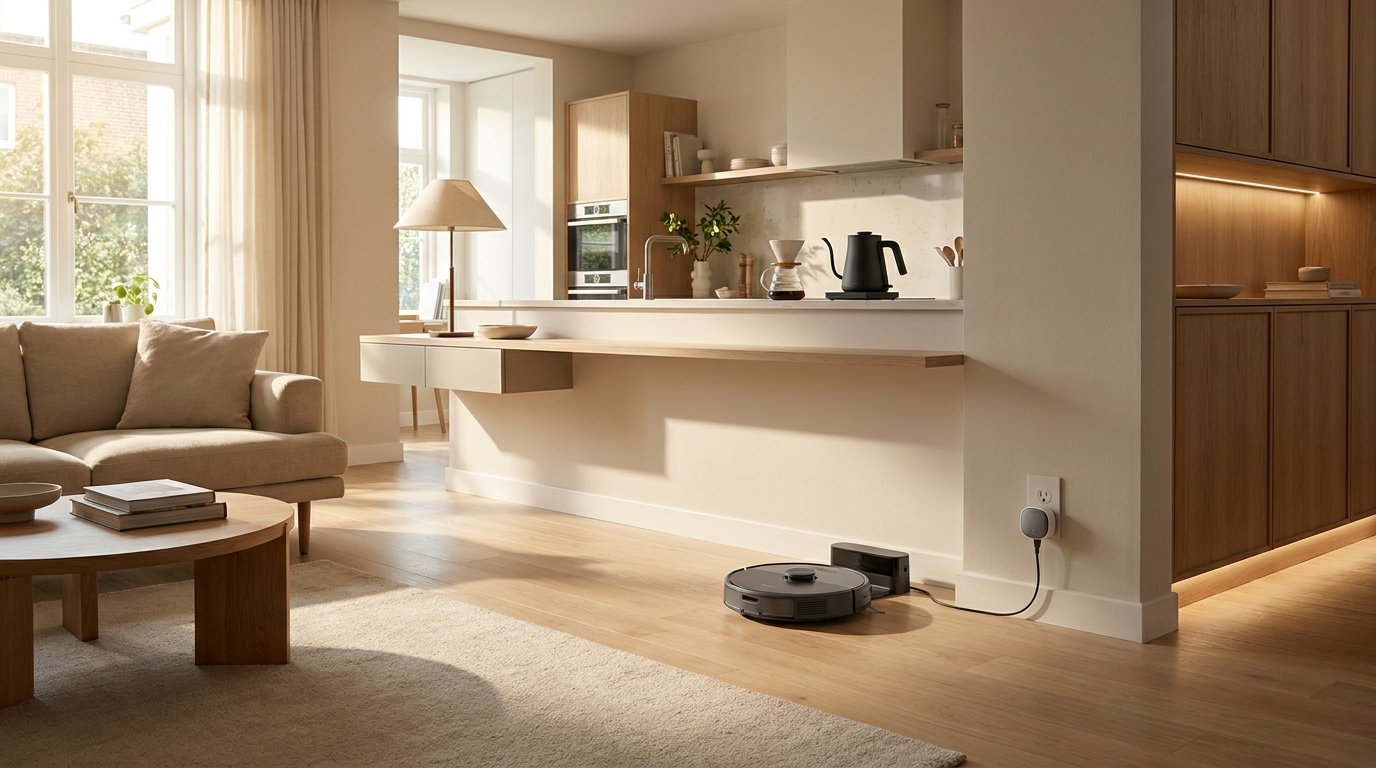
The most useful home gadgets are rarely the ones with the longest feature lists. They are the devices that quietly remove a small but recurring annoyance from everyday life.
A robot vacuum can handle routine floor cleaning. A water sensor can alert you to moisture where water should not be. A smart plug can automate an appliance you repeatedly switch on and off. A digital thermometer removes guesswork from cooking.
The common factor is simple:
A useful gadget solves a problem you already have.
If you have to invent a reason to use it, it probably belongs in the novelty category instead.
What Makes a Home Gadget Genuinely Useful?
Before buying something because a video made it look clever, put it through four tests.
Frequency
How often does the problem occur?
A gadget that improves something you do every morning has more opportunity to be useful than one designed for a task you perform twice a year.
Friction
How annoying is the current process?
Automating a two-second task may not accomplish much. Removing a repetitive 15-minute chore is another matter.
Maintenance
What does the gadget require from you?
Consider:
- Charging
- Batteries
- Filters
- Cleaning
- Replacement parts
- App accounts
- Wi-Fi
- Software updates
- Subscription fees
Convenience should be measured after these requirements are included.
Longevity
Will it still be useful if the app disappears or the manufacturer stops supporting it?
This is especially relevant for connected devices.
The Federal Trade Commission recommends checking how long a manufacturer intends to provide software updates when buying smart products because connected features can become less useful when support ends.
Quick Guide: Which Gadget Solves Which Problem?
| Everyday problem | Gadget worth considering | Main trade-off |
| Floors need constant cleaning | Robot vacuum | Requires maintenance and suitable floor layout |
| Small messes are annoying | Handheld vacuum | Needs charging and emptying |
| You repeatedly switch devices | Smart plug | Adds an app or smart-home system |
| Worried about hidden water leaks | Leak detector | Sensors need correct placement and maintenance |
| Dark halls or closets | Motion-sensor light | Poor positioning can trigger unwanted activation |
| Guessing whether food is cooked | Digital food thermometer | Requires proper probe placement |
| Frequently boiling water | Electric kettle | Takes counter space |
| Cables are scattered everywhere | Charging station | Device compatibility matters |
| Storage is hard to identify | Label maker | Easy to over-label |
| Small household repairs | Electric screwdriver | Not a replacement for every hand or power tool |
| Repeated timers and voice commands | Smart speaker/display | Privacy and internet dependency |
| Baking or portion measurement | Digital kitchen scale | Another item to store |
| Want basic door/window alerts | Contact sensors | Connected models require setup and security |
1. Robot Vacuum
A robot vacuum makes sense when floor cleaning is a recurring chore, not simply because robotic appliances are popular.
Its strongest use case is routine maintenance.
Instead of waiting until floors are visibly dirty, a robot can run on a schedule and reduce the amount of debris that accumulates between deeper cleanings.
It can be especially useful in homes with:
- Hard floors
- Low-pile rugs
- Pets that shed
- Large open areas
- People who dislike frequent vacuuming
However, a robot vacuum is not completely hands-off.
You may still need to:
- Empty debris
- Clean brushes
- Remove tangled hair
- Maintain filters
- Clear certain obstacles
- Clean areas it cannot reach
Models with self-emptying docks reduce one maintenance task but require more floor space and usually cost more.
Skip it if:
Your floors have many cables, thresholds, tightly packed furniture, or objects that constantly need moving before the robot can run.
In that situation, preparation can eliminate much of the convenience.
2. Cordless Handheld Vacuum
A full-size vacuum is excessive for crumbs on a sofa or dirt near an entryway.
That is where a small handheld vacuum can be more useful.
It works particularly well for:
- Crumbs
- Furniture
- Stairs
- Car interiors
- Window tracks
- Small spills of dry debris
- Quick pet-hair cleanup
The real advantage is low startup effort.
If dealing with a small mess requires retrieving a large vacuum, unwinding a cord, attaching accessories, and putting everything away again, people often postpone the job.
A handheld vacuum keeps the response proportional to the mess.
What to check:
Look beyond advertised suction numbers.
Consider:
- Weight
- Runtime
- Charging method
- Dust-bin design
- Replacement filter availability
- Attachments you will genuinely use
Skip it if:
Your regular vacuum is already cordless, lightweight, and easy to convert for small jobs.
You may simply be duplicating a function you already own.
3. Smart Plugs
A smart plug can add basic automation to an ordinary electrical device without replacing the device itself.
Depending on the model and ecosystem, you may be able to:
- Set schedules
- Turn a device on or off remotely
- Create routines
- Use voice control
- Monitor electricity use
ENERGY STAR includes smart plugs and smart power strips among the plug-load monitoring and control devices used in qualifying smart home energy management systems.
The important point is not that every smart plug automatically saves meaningful amounts of energy.
Its usefulness depends on what you connect to it and how you automate that device.
Good candidates are devices that you repeatedly turn on and off on a predictable schedule.
Before buying:
Check:
- Maximum supported electrical load
- Plug orientation
- Smart-home compatibility
- Whether it requires a hub
- Whether schedules work without internet access
- App support
Never exceed the manufacturer’s electrical ratings.
Skip it if:
You are automating something that already has a reliable built-in timer or scheduling function.
4. Water Leak Detectors
Some of the most useful gadgets do not save time every day.
They sit quietly until something goes wrong.
A water leak detector is a good example.
Basic moisture sensors can be placed near potential leak locations such as:
- Washing machines
- Water heaters
- Sinks
- Dishwashers
- Toilets
- Basement plumbing
More advanced systems monitor water flow, while some can activate a shutoff valve.
EPA WaterSense says leak-detection and flow-monitoring devices can identify leaks or irregular water use and help reduce water waste and potential property damage.
Different technologies solve different problems.
A small moisture sensor detects water at a specific location. A whole-home flow monitor looks for irregular patterns in the plumbing system. Some systems add automatic shutoff capability.
What to check:
- Local alarm versus phone notification
- Battery status alerts
- Sensor coverage
- Wi-Fi requirements
- Automatic shutoff capability
- Installation requirements
- Subscription requirements
EPA notes that in-line systems can require more complicated installation and may need a plumber.
Best for:
Anyone with appliances, fixtures, basements, or plumbing areas where a leak could remain unnoticed.
5. Motion-Sensor Lights
Sometimes the useful gadget is the simple one.
Motion-activated lights can remove the repeated need to find a switch in locations such as:
- Closets
- Hallways
- Stair areas
- Cabinets
- Pantries
- Entryways
- Under cabinets
Battery-powered or rechargeable versions can also add temporary lighting where wiring a permanent fixture would be excessive.
The key is positioning.
A poorly placed sensor that activates whenever someone walks past a doorway becomes irritating rather than convenient.
What to check:
Look for control over:
- Activation sensitivity
- Shutoff delay
- Daylight sensing
- Brightness
Skip it if:
A conventional switch is already conveniently located and you rarely need the light.
Automation is not automatically an improvement.
6. Digital Instant-Read Food Thermometer
A digital food thermometer is one of the few inexpensive kitchen gadgets that can improve both convenience and food-safety decision making.
Instead of judging meat by color, texture, or cooking time alone, you can directly measure its internal temperature.
USDA’s Food Safety and Inspection Service states that using a food thermometer is the reliable way to verify that foods have reached a safe minimum internal temperature.
For example, USDA currently lists minimum internal temperatures including:
- 165°F for poultry
- 160°F for ground meats
- 145°F plus a three-minute rest for beef, pork, veal, and lamb steaks, chops, and roasts
Correct placement matters. USDA advises inserting the thermometer into the thickest part of the food and avoiding bone, fat, and gristle where applicable.
What to check:
- Reading speed
- Temperature range
- Display readability
- Probe design
- Ease of cleaning
- Calibration instructions
Best for:
Anyone who regularly cooks meat, poultry, fish, or other temperature-sensitive foods.
7. Temperature-Control Electric Kettle
If you boil water several times per day, an electric kettle can remove a surprising amount of routine friction.
More advanced models let you select a target water temperature, which can be useful for:
- Tea
- Coffee
- Instant foods
- Cooking preparation
The important feature is not connectivity.
It is fast, repeatable access to hot water without monitoring a saucepan.
For many households, a basic kettle may be more practical than an app-connected model.
What to check:
- Capacity
- Temperature controls
- Automatic shutoff
- Handle comfort
- Pouring design
- Ease of cleaning
- Counter footprint
Skip it if:
You rarely boil water or already have another appliance that handles the task conveniently.
A gadget that saves two minutes once a month is not solving much.
8. Central Charging Station
A charging station solves a different problem from a faster charger.
It gives frequently used electronics a defined home.
Instead of leaving cables and devices in several rooms, one location can handle phones, watches, earbuds, tablets, and other rechargeable devices.
This works best when the household already has predictable charging habits.
What to check:
Before buying, identify exactly what you need to charge.
Check:
- USB-C requirements
- Wireless charging compatibility
- Total power output
- Number of devices
- Cable arrangement
- Power supply included with the unit
Avoid buying a station based only on the number of ports.
Several ports are not useful if the charger cannot provide the power your devices require.
Best for:
Households where cables, chargers, and small electronics frequently go missing.
9. Label Maker
A label maker does not create storage.
It reduces the mental effort required to use storage consistently.
That distinction matters.
Labels work particularly well for:
- Pantry containers
- Storage bins
- Cables
- Tools
- Craft supplies
- Office files
- Children’s belongings
- Seasonal storage
They become especially useful when several people share the same storage system.
A transparent container may not need a label. An opaque box on a high shelf probably benefits more from one.
Skip it if:
You are labeling every object simply because you own a label maker.
The organizational system should determine the labels, not the other way around.
10. Rechargeable Electric Screwdriver
For light household jobs, an electric screwdriver can sit between a manual screwdriver and a full-size drill.
It can make repetitive fastening easier when:
- Assembling flat-pack furniture
- Removing outlet or switch covers
- Installing cabinet hardware
- Opening electronic housings where appropriate
- Completing small household repairs
A compact model is easier to retrieve for quick jobs than a larger drill and tool case.
Important limitation:
An electric screwdriver does not replace every screwdriver, impact driver, or drill.
Manual control is still useful when working with delicate hardware or when precise torque matters.
What to check:
- Bit compatibility
- Grip
- Charging method
- Speed control
- Torque settings
- Built-in light
- Replacement-bit availability
11. Smart Speaker or Smart Display
A smart speaker can be useful when voice control eliminates repeated physical interactions.
Common uses include:
- Timers
- Reminders
- Shopping lists
- Music
- Weather
- Smart-light control
- Smart-plug control
- Intercom functions
The stronger case is not asking trivia questions.
It is connecting several small routines through one interface.
However, connected convenience introduces privacy and security considerations.
The FTC recommends protecting internet-connected home devices with measures such as unique passwords, software updates, security settings, and two-factor authentication where available.
Voice assistants can also record interactions and may activate when they misinterpret speech as the wake word, so users should review listening controls and privacy settings.
Skip it if:
You do not want another internet-connected microphone in the home or have no routines that benefit from voice control.
That is a legitimate trade-off, not a failure to embrace technology.
12. Digital Kitchen Scale
A digital scale solves several kitchen problems with one small device.
It can help with:
- Baking
- Portion measurement
- Recipe consistency
- Coffee preparation
- Dividing ingredients
- Scaling recipes
Its advantage is precision without requiring multiple measuring cups and spoons for every dry ingredient.
For baking in particular, weight-based recipes can also make ingredient measurement easier to reproduce.
What to check:
- Maximum capacity
- Measurement increments
- Unit conversion
- Tare function
- Display visibility with a large bowl
- Surface size
- Ease of cleaning
Skip it if:
Your cooking style rarely involves measured recipes.
13. Door and Window Contact Sensors
Contact sensors detect whether a door, window, cabinet, or similar opening is open or closed.
Connected versions can be useful for:
- Exterior doors
- Windows
- Garage access
- Storage areas
- Cabinets
- Simple home routines
For example, a sensor may trigger a notification when a door is left open or activate another compatible smart-home device.
The benefit is targeted awareness rather than full security-system complexity.
Consider the connected-device trade-off
Any internet-connected sensor adds another device that may need:
- Batteries
- An app
- Firmware updates
- Account management
- Wi-Fi or a hub
The FTC advises consumers to consider software-support policies before purchasing smart products because manufacturers may eventually stop providing updates.
Skip it if:
You are creating complicated automations around a problem that a simple routine already solves reliably.
Which Home Gadgets Are Actually Worth Buying?
A useful purchasing rule is:
Start with your recurring annoyance, not the gadget category.
For one week, notice the small tasks that repeatedly interrupt you.
You may discover patterns such as:
“I vacuum crumbs under the table almost every evening.”
That suggests a cleaning solution.
“We can never find a charged cable.”
That suggests a charging and organization problem.
“I’m constantly wondering whether I switched that lamp off.”
That might justify a smart plug.
“A washing-machine leak could sit unnoticed in this basement.”
That suggests a leak sensor.
This approach produces better purchases than browsing viral gadgets and trying to find problems they can solve.
Smart Gadgets Have Hidden Costs
Connected devices deserve additional scrutiny because the purchase price is only one part of ownership.
Before buying a smart-home product, investigate:
App dependency
Can basic functions still work if the manufacturer’s service is unavailable?
Software support
How long does the manufacturer commit to updates?
The FTC specifically recommends checking this information before purchasing smart products.
Subscription costs
Does an important function require a monthly or annual plan?
Compatibility
Does it work with the smart-home ecosystem you already use?
Privacy
What data does the device collect, and what controls are available?
Security
Does it support strong passwords, updates, encryption, and two-factor authentication where applicable?
The FTC advises securing individual connected devices as well as the home network they depend on.
A $25 gadget that becomes useless when its cloud service disappears is not necessarily better value than a $15 conventional device.
Home Gadgets That Often Become Clutter
Not every clever product deserves permanent space in a home.
Be cautious with gadgets that:
- Perform an extremely rare task
- Duplicate a tool you already own
- Require more cleaning than the task they replace
- Have many proprietary replacement parts
- Require an app for a simple physical function
- Occupy substantial counter space
- Solve a problem you never noticed before seeing the advertisement
- Depend on a subscription for their core feature
This does not mean these products are universally bad.
It means their usefulness depends on the household.
A specialized avocado tool may be valuable to someone preparing avocados every morning and pointless to almost everyone else.
Context matters more than novelty.
What to Check Before Buying Any Home Gadget
Ask these questions before purchasing:
- What exact recurring problem does this solve?
- How often do I currently perform that task?
- What do I already own that performs the same function?
- Does the gadget require batteries or regular charging?
- How often must it be cleaned?
- Are replacement parts readily available?
- Does it require Wi-Fi or an app?
- Is a subscription required for important features?
- Will basic functionality survive if the manufacturer stops supporting the app?
- Where will I store it?
- Does it save more effort than it creates?
- Am I buying it because I need it or because the demonstration looked satisfying?
If you cannot clearly answer the first question, do not buy it yet.
FAQs
What home gadgets are actually useful?
Useful home gadgets solve recurring household problems with less effort than the method they replace. Examples include robot vacuums, water leak sensors, smart plugs, digital food thermometers, charging stations, handheld vacuums, and motion-activated lighting.
Are smart home gadgets worth buying?
They can be when automation solves a frequent problem. Before buying, consider compatibility, privacy, software support, subscriptions, internet dependency, and whether the device remains useful if its connected features stop working.
What inexpensive gadget can make a home easier to manage?
The answer depends on the problem. A smart plug can automate compatible devices, a motion light can improve dark storage areas, a digital thermometer removes cooking guesswork, and a basic leak sensor can provide early warning of unwanted moisture.
Which kitchen gadgets are genuinely useful?
Devices with broad, frequent uses tend to provide more value. A digital food thermometer, kitchen scale, and electric kettle can each perform recurring kitchen tasks without requiring substantial storage or complicated setup.
Are robot vacuums worth it?
They are most useful for routine floor maintenance in homes with compatible layouts. They still require brush, filter, bin, and obstacle maintenance, so they should be viewed as cleaning automation rather than completely maintenance-free appliances.
How do I avoid buying useless gadgets?
Identify the problem first. Then determine how often it occurs, what you currently do to solve it, how much maintenance the new device requires, and whether you already own something that performs the same job.
Leave a Reply