
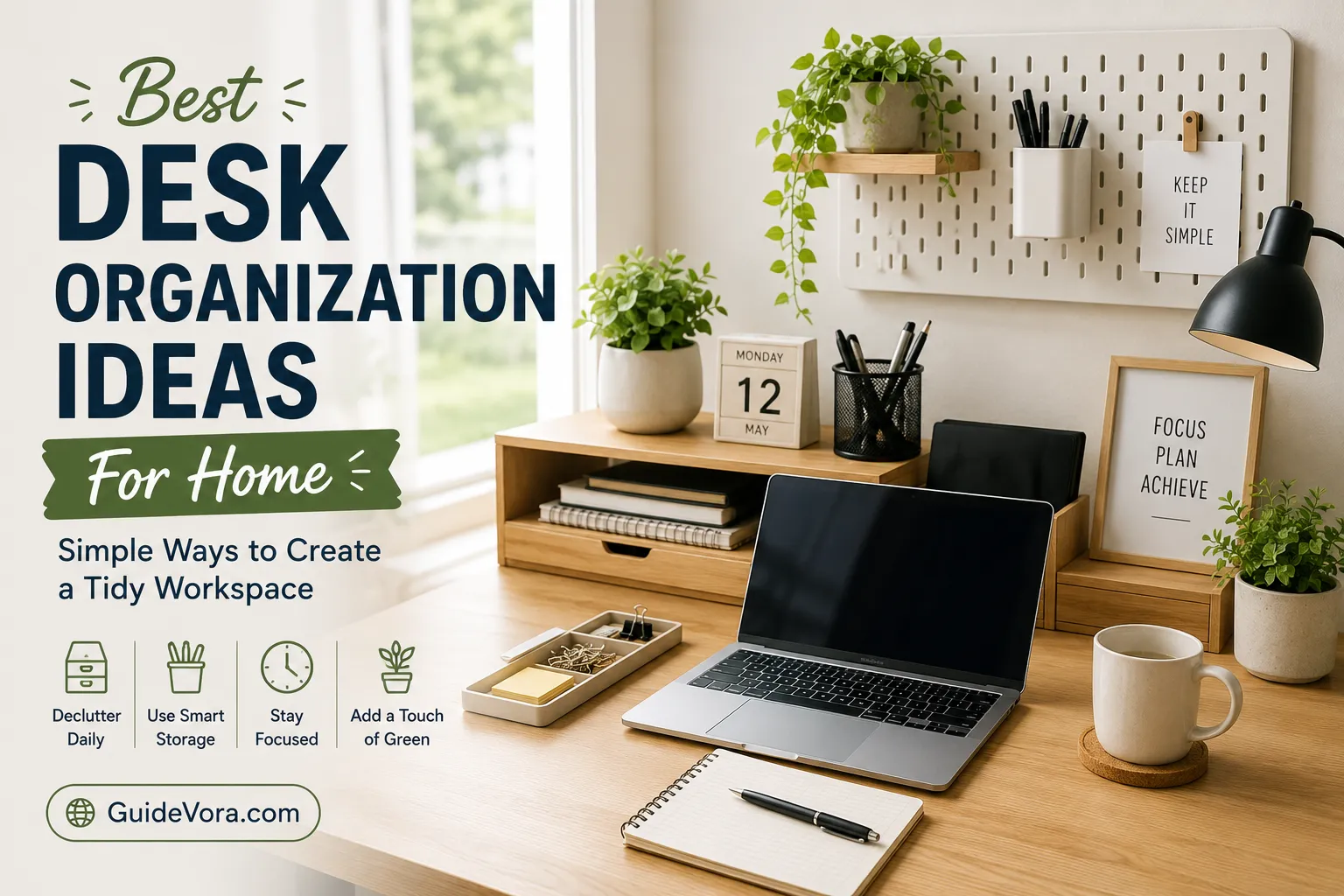
A messy desk can make it harder to find things, stay focused, and get work done comfortably. The good news is that you do not need a large office or expensive organizers to create a better workspace. A few practical changes can turn a cluttered desk into a clean, functional, and organized home workspace.
The best desk organization system is one that matches the way you actually work. Keep frequently used items within reach, move distractions out of sight, manage cables properly, and give every important item a specific place.
Best Desk Organization Ideas at a Glance
If you want to organize your home desk quickly, start with these simple ideas:
- Remove items you rarely use.
- Keep daily essentials within easy reach.
- Use desk organizers for small supplies.
- Manage computer and charging cables.
- Add vertical storage to free up desk space.
- Use drawer dividers for office supplies.
- Keep paperwork in labeled folders.
- Create a dedicated space for notebooks and documents.
- Use a monitor stand with storage underneath.
- Leave some empty space on your desk for comfortable working.
A good workspace does not need to be completely empty. It simply needs to be organized around your daily tasks.
1. Start by Decluttering Your Desk
Before buying storage containers, clear the entire desk.
Remove everything and sort each item into three groups:
- Use every day
- Use occasionally
- Don’t need
Return only the essentials to your workspace. Items that you use occasionally can go into drawers or nearby storage.
This first step is important because adding organizers to an already cluttered desk often creates more places to store unnecessary things rather than solving the problem.
2. Create Desk Zones
One of the easiest ways to improve home office organization is to divide your desk into functional zones.
For example:
Work zone: Keyboard, mouse, monitor, and other equipment you use constantly.
Writing zone: Notebook, pens, and documents.
Technology zone: Chargers, USB cables, headphones, and accessories.
Storage zone: Items you need occasionally but do not use continuously.
When each area has a purpose, it becomes easier to put things back where they belong.
3. Keep Everyday Items Within Reach
Think about the things you use repeatedly during the day.
These might include:
- Keyboard and mouse
- Notebook
- Pen
- Headphones
- Phone
- Water bottle
- Calculator
- Frequently used documents
Keep these items close enough to reach without interrupting your workflow.
On the other hand, rarely used supplies should not occupy valuable desk space.
4. Use a Desk Organizer for Small Supplies
Pens, pencils, markers, sticky notes, scissors, clips, and other small items can quickly create visual clutter.
A simple desktop organizer gives these supplies a designated home.
You can use separate sections for:
- Writing tools
- Sticky notes
- Paper clips
- USB drives
- Scissors
- Highlighters
Avoid filling every compartment just because it is available. Keep only the supplies you actually use.
5. Take Advantage of Vertical Space
If your desk is small, look upward instead of outward.
Wall shelves, pegboards, monitor stands, and vertical organizers can provide additional storage without taking up much workspace.
Vertical storage is especially useful for:
- Books
- Notebooks
- Office supplies
- Headphones
- Small accessories
- Frequently referenced documents
Keeping items off the desktop gives you more room to work.
6. Organize Your Desk Drawers
A desk drawer can become a hidden mess if everything is thrown inside.
Use small containers or drawer dividers to create separate sections.
For example:
| Drawer Section | Items |
|---|---|
| Front | Pens and pencils |
| Center | Sticky notes and clips |
| Side | USB drives and adapters |
| Back | Extra supplies |
The exact arrangement does not matter as much as having a consistent system.
7. Manage Your Cables
Cable clutter is one of the most common problems with modern home workspaces.
Computers, monitors, phones, lamps, speakers, and chargers can quickly create a tangled mess.
Try these cable management ideas:
- Group cables that run to the same area.
- Use reusable cable ties or clips.
- Label similar chargers.
- Keep excess cable length organized.
- Route cables behind the desk where practical.
- Keep charging cables in one designated location.
Do not overcrowd power strips or use damaged cables. Electrical equipment should be managed according to the manufacturer’s safety instructions.
8. Use a Monitor Stand to Create More Space
A monitor stand can serve two purposes: raising the screen to a more comfortable position and creating storage underneath.
The space below a suitable monitor stand can hold:
- Keyboard when not in use
- Notebook
- Small storage boxes
- Headphones
- Documents
This is particularly helpful for small desk organization because it uses space that would otherwise remain empty.
9. Create a Paperwork System
Loose papers can make an organized desk look messy very quickly.
Instead of keeping documents in random piles, create a simple filing system.
You could use folders labeled:
- To Do
- Important
- Reference
- Completed
- To File
For digital documents, use a similar folder structure on your computer or cloud storage.
The simpler the system, the more likely you are to maintain it.
10. Use a Desk Mat
A desk mat can help visually define your primary work area while protecting the desk surface from everyday wear.
It can also make a workspace feel more intentional and organized.
Choose a size that leaves enough room for your keyboard, mouse, and other equipment without covering the entire desk unnecessarily.
11. Keep Your Phone in a Designated Place
Your phone can easily become both a physical and digital distraction.
Instead of leaving it randomly on your desk, choose one location for it. A small stand can keep it visible when necessary while preventing it from getting buried under papers or other objects.
If you need fewer distractions while working, placing the phone farther away may be even more effective.
12. Organize Headphones and Small Tech Accessories
Headphones, charging cables, adapters, USB drives, and other accessories are easy to lose.
Create one dedicated tech accessories storage area.
A small box, drawer section, or organizer can hold these items together.
You can also separate accessories by type:
- Charging cables
- Computer accessories
- Audio equipment
- USB drives
- Adapters
This saves time when you need something quickly.
13. Use a Pegboard for Flexible Storage
A pegboard can be useful when you need flexible wall storage.
You can arrange hooks, shelves, and small containers based on your workspace needs. It is particularly useful for people who frequently change their desk setup.
Use it for lightweight items such as:
- Headphones
- Cables
- Small tools
- Notes
- Accessories
The advantage is that you can change the arrangement without replacing the entire storage system.
14. Keep a Small Trash Bin Nearby
A small wastebasket beside your desk makes it easier to dispose of unnecessary paper, packaging, and other waste immediately.
If the bin is too far away, small pieces of trash often end up sitting on the desk.
For recycling, keep appropriate recyclable materials separate according to your local recycling rules.
15. Use Labels for Better Organization
Labels can be especially useful when you have several storage boxes or drawers.
Instead of opening every container, you can immediately identify where something belongs.
Simple labels such as:
- Cables
- Stationery
- Documents
- Tech
- Receipts
- Backup supplies
are usually enough.
You do not need a complicated labeling system.
16. Create a Dedicated Notebook and Book Area
If you use multiple notebooks or reference books, give them a fixed location.
A vertical file holder, shelf, or small bookend can keep them upright and easy to access.
Keep only the books you currently need on the desk. Store the rest nearby.
This prevents your primary workspace from becoming a pile of reading material.
17. Keep Your Desk Surface Mostly Clear
A completely empty desk is not necessary, but leaving some open space makes a significant difference.
Try to maintain a clear area where you can comfortably write, read, or work without moving several objects first.
A useful habit is to spend five minutes at the end of your workday returning everything to its designated place.
That small reset can make the next morning much easier.
18. Make Your Home Office Comfortable, Not Just Organized
Desk organization should support productivity and comfort.
Pay attention to:
- Monitor position
- Keyboard and mouse placement
- Chair height
- Lighting
- Screen glare
- Available legroom
Good organization means little if your workstation is uncomfortable to use.
Your monitor, chair, and other equipment should be arranged according to ergonomic guidance and the manufacturer’s instructions.
19. Use a Minimalist Desk Setup
If you constantly struggle with clutter, consider reducing the number of items on your desk.
A simple setup might include:
- Monitor or laptop
- Keyboard and mouse
- Desk lamp
- Notebook
- Pen holder
- Headphones
- Water bottle
Everything else can be stored nearby.
A minimalist desk setup is not about owning as little as possible. It is about keeping your workspace focused on what you actually use.
20. Create a Five-Minute Desk Reset
You do not need to reorganize your entire office every day.
At the end of your work session:
- Throw away unnecessary trash.
- Put pens and stationery back.
- Return documents to their folders.
- Put headphones and cables away.
- Clear unnecessary items from the desktop.
- Wipe the surface if needed.
- Prepare the essentials for the next day.
This simple routine helps prevent small amounts of clutter from becoming a major cleanup job.
Desk Organization Ideas for Small Spaces
Working with a small desk requires smarter storage rather than more furniture.
Try:
- A monitor stand with storage
- Wall-mounted shelves
- A pegboard
- Drawer organizers
- Vertical file holders
- Under-desk cable management
- Small storage boxes
- A compact desk lamp
- A headphone hook
The main principle is simple: use vertical and hidden storage whenever possible.
Desk Organization Ideas for a Home Office
If you have a dedicated home office, you have more flexibility.
Consider creating separate areas for:
- Computer work
- Paperwork
- Supplies
- Books
- Electronics
- Printing and scanning
Keep your primary desk focused on your main task and use nearby shelves or cabinets for less frequently used items.
This makes the workspace easier to maintain without sacrificing storage capacity.
Common Desk Organization Mistakes
Keeping everything on the desktop
Even useful items can create clutter when they are not needed regularly.
Buying too many organizers
Storage products cannot fix unnecessary clutter. Declutter first, then buy only what solves a specific problem.
Ignoring cables
A clean desktop can still look messy if cables are tangled underneath it.
Creating an overly complicated system
If putting an item away requires several steps, you may stop doing it. Keep your organization system simple.
Never resetting the workspace
A desk can become cluttered again surprisingly quickly. A short daily reset helps maintain your system.
Frequently Asked Questions
How can I organize my desk at home?
Start by removing unnecessary items, then divide your workspace into zones. Keep everyday essentials within reach and use drawers, shelves, organizers, and wall storage for everything else.
What should I keep on my desk?
Keep the items you use frequently, such as your computer, keyboard, mouse, notebook, pen, and other daily essentials. Store rarely used supplies elsewhere.
How do I organize a small desk?
Use vertical storage, monitor stands, wall shelves, drawer dividers, and cable organizers. Keep the desktop limited to items you regularly use.
How do I keep my desk organized every day?
Spend about five minutes at the end of your work session returning items to their designated places, clearing trash, organizing papers, and managing cables.
What is the best way to organize desk cables?
Group cables by purpose, use reusable ties or clips, label similar cables, and route them neatly behind or underneath the desk where practical.
Final Thoughts
The best desk organization ideas for home are the ones that make your workspace easier to use, not simply prettier to look at.
Start with decluttering, then create practical zones for work, storage, paperwork, and technology. Use vertical space when your desk is small, keep cables under control, and give frequently used items a permanent home.
Most importantly, make organization part of your routine. A five-minute desk reset at the end of the day can prevent clutter from building up and help you start your next work session with a clean, focused workspace.
Leave a Reply